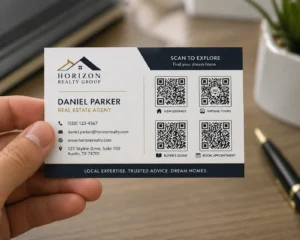
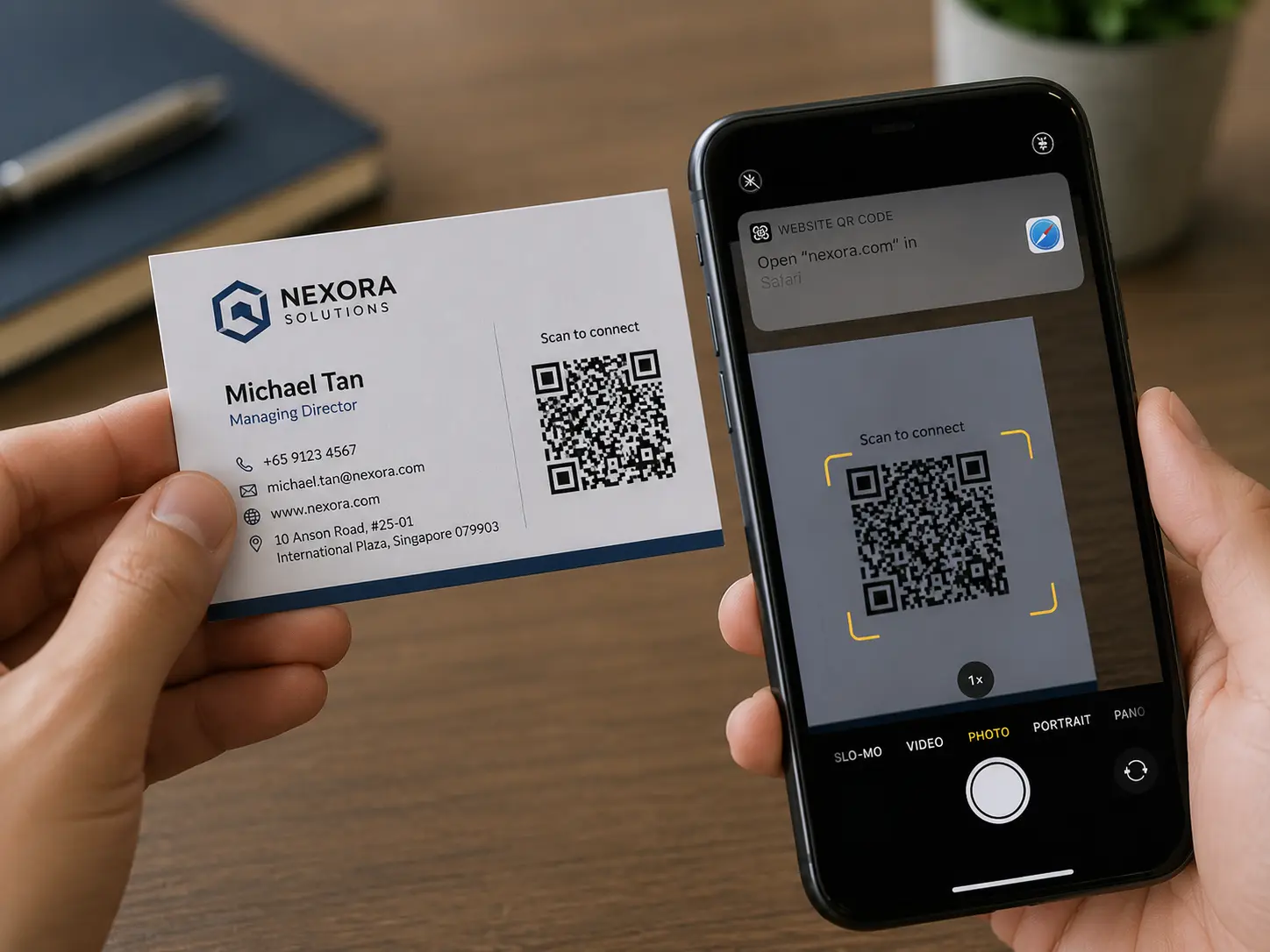
Business cards should make follow-up easier
A business card is only valuable if the other person can actually use it later. Traditional cards are easy to hand out, but they are also easy to lose, forget, or leave in a drawer. A vCard QR code makes the card more practical because it gives the recipient a fast way to save contact information directly to a device.
Nalu Link’s free vCard QR Code Generator is built around that simple idea. Enter contact details, generate a QR code, and share it digitally or print it on cards, flyers, badges, handouts, or event materials. The scan becomes the bridge between a real-world introduction and a saved contact.
Why vCard QR codes work for networking
Networking often happens quickly. People meet at conferences, trade shows, chamber events, sales meetings, vendor events, real estate showings, nonprofit fundraisers, and professional gatherings. A vCard QR code reduces friction because the recipient does not need to type a name, phone number, email, or website manually.
That convenience matters. The easier it is to save your information, the more likely the conversation turns into a follow-up. A printed card still has value, but the QR code gives it a digital action.
Use vCard QR codes beyond business cards
A vCard QR code can be used anywhere contact sharing matters. Add it to conference badges, presentation slides, brochures, direct mail pieces, service flyers, proposals, table signs, booth displays, email signatures, or social media graphics. Sales teams can use them at events. Real estate agents can use them on property materials. Consultants can use them after workshops.
The same idea works for internal teams too. Staff members who attend community events or industry conferences can use vCard QR codes to make follow-up easier and more consistent.
Make the call to action clear
A QR code should always have a reason to scan. Instead of placing a code with no context, use a clear prompt such as “Scan to Save My Contact Info,” “Save My Digital Business Card,” or “Scan to Connect After the Event.” This makes the action obvious and improves scan likelihood.
Design also matters. Leave enough space around the QR code, test the code on multiple phones, and make sure it is large enough to scan comfortably. A beautiful card that cannot be scanned is not doing its job.
Digital business cards are practical and professional
A vCard QR code can make a business look organized and modern without removing the human side of networking. People still shake hands, talk, and exchange introductions. The QR code simply makes the next step easier.
For small businesses and professionals, this is a low-friction way to improve everyday networking. For agencies and teams, it can become part of a larger marketing toolkit that includes trackable links, campaign QR codes, flyers, mailers, and other print-to-digital materials.
Nalu Link makes contact sharing simple
Nalu Link’s vCard tool is designed for ease of use. Users enter their details, generate the QR code, and share it digitally or in print. It does not require advanced technical skill or complicated software. That makes it useful for business owners, salespeople, consultants, freelancers, event vendors, and anyone who wants a cleaner follow-up process.
Networking is about connection. A vCard QR code helps protect that connection by making contact details easier to save and harder to lose.
FAQ
What is a vCard QR code?
A vCard QR code is a scannable code that lets someone save contact information to a device quickly.
Can I print a vCard QR code on a business card?
Yes. vCard QR codes can be printed on business cards, flyers, brochures, badges, and other materials.
Who should use a digital business card QR code?
Salespeople, business owners, consultants, real estate agents, event vendors, recruiters, and professionals who network regularly can benefit.
Do people need an app to scan a vCard QR code?
Most modern phones can scan QR codes with the camera or built-in scanning tools.
Create a free Nalu Link account and build a trackable QR code or campaign link for your next print or digital campaign.
Practical setup checklist
For best results, treat each QR code as a campaign instead of a decoration. Create the campaign before printing, give it a clear name, test the QR code on multiple phones, and confirm the destination page is ready for visitors.
Use separate campaigns when you want separate reporting. A restaurant table tent, direct mail route, event flyer, business card, and storefront sign should not all use the same code if the business wants to compare results. The cleaner the campaign setup is, the easier the reporting will be.
After publishing or distributing the materials, review scan activity monthly. Keep the strongest campaigns, improve underperforming destinations, and update links when menus, offers, listings, or landing pages change. The goal is to make every printed piece easier to measure and easier to improve.