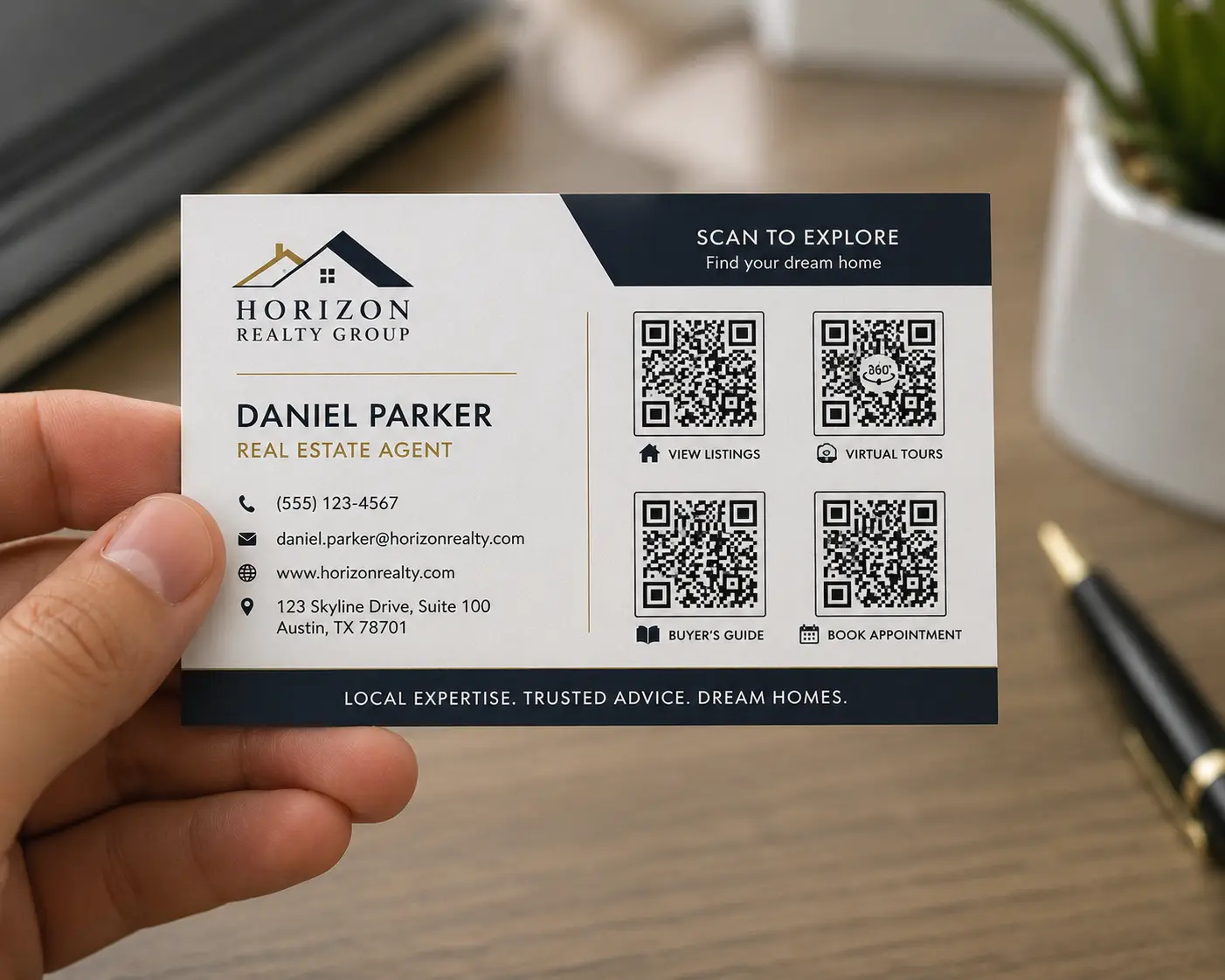
Property marketing needs fast digital access
Real estate marketing is built on attention. A buyer sees a sign, flyer, postcard, brochure, or open house table card and wants more information immediately. A QR code creates that instant connection. The code can lead to a listing page, virtual tour, appointment scheduler, mortgage resource, neighborhood guide, or agent contact page.
The opportunity becomes even stronger when the QR code is trackable. Instead of printing one basic code everywhere, agents and teams can create separate Nalu Link campaigns for each marketing placement and compare the response.
Use separate QR codes for separate placements
A listing may have yard signs, open house signs, postcards, flyers, door hangers, social graphics, and email campaigns. Each one can be tracked separately. A QR code on the yard sign may perform differently than a QR code on a direct mail piece. An open house sign-in card may create more serious leads than a neighborhood flyer.
Separate campaigns help the agent understand where buyer interest is happening. That information can guide future listing promotion and help sellers see which materials are creating engagement.
Make the destination match the buyer moment
A QR code should send people to the most useful next step. Someone scanning a yard sign may want photos, price, and showing information. Someone at an open house may want the disclosure packet, a sign-in form, or agent contact details. Someone receiving a postcard may need a stronger reason to click, such as a neighborhood market report or home valuation page.
Nalu Link makes it easier to manage those campaign destinations. If the listing status changes, the agent can adjust the destination. If an open house ends, the code can point to a follow-up page or related listing.
Track location and campaign response
Real estate is local, so scan location matters. If a campaign generates attention from a specific area, the agent can invest more there. If a sign or flyer placement produces no scans, the agent can rethink placement, offer, or design. Scan tracking provides feedback that traditional print alone cannot provide.
This is valuable for listing agents, buyer agents, teams, brokerages, property managers, builders, and real estate investors. QR codes can help connect offline visibility to digital intent.
Use vCard QR codes for agent contact sharing
Real estate is also relationship-driven. A vCard QR code can help prospects save the agent’s information quickly at open houses, networking events, and community meetings. A property QR code and a vCard QR code can work together: one helps people view the listing, and the other helps them save the agent contact.
That combination makes printed materials more useful and gives prospects a simpler way to follow up.
A smarter way to use print in real estate
Real estate still relies on physical visibility, but physical materials should not be disconnected from digital behavior. With trackable QR codes, agents can make signs, flyers, postcards, and open house materials easier to measure.
Nalu Link helps real estate professionals turn every printed asset into a campaign that can drive action, collect data, and support smarter follow-up.
FAQ
How can real estate agents use QR codes?
Agents can use QR codes on signs, flyers, postcards, brochures, open house materials, and business cards to link to listings, tours, forms, or contact details.
Should each property have a different QR code?
Yes. Each property and placement should have its own campaign if the agent wants meaningful tracking.
Can QR codes track real estate flyer performance?
Trackable QR code campaigns can help compare scan activity across flyers, signs, mailers, and open house materials.
Can agents use vCard QR codes too?
Yes. A vCard QR code helps prospects save agent contact information quickly after a meeting or showing.
Create a free Nalu Link account and build a trackable QR code or campaign link for your next print or digital campaign.
Practical setup checklist
For best results, treat each QR code as a campaign instead of a decoration. Create the campaign before printing, give it a clear name, test the QR code on multiple phones, and confirm the destination page is ready for visitors.
Use separate campaigns when you want separate reporting. A restaurant table tent, direct mail route, event flyer, business card, and storefront sign should not all use the same code if the business wants to compare results. The cleaner the campaign setup is, the easier the reporting will be.
After publishing or distributing the materials, review scan activity monthly. Keep the strongest campaigns, improve underperforming destinations, and update links when menus, offers, listings, or landing pages change. The goal is to make every printed piece easier to measure and easier to improve.